Microsoft has once again enhanced its suite of productivity and creative apps, unveiling AI-powered features in Microsoft Paint and adding new functionality for Notepad users. The updates aim to make creativity and productivity easier, faster, and more engaging for everyday users. From transforming simple sketches into detailed coloring books to adding advanced editing capabilities in Notepad, Microsoft is clearly pushing for AI integration across its classic tools.
AI-Powered Coloring Books in Microsoft Paint
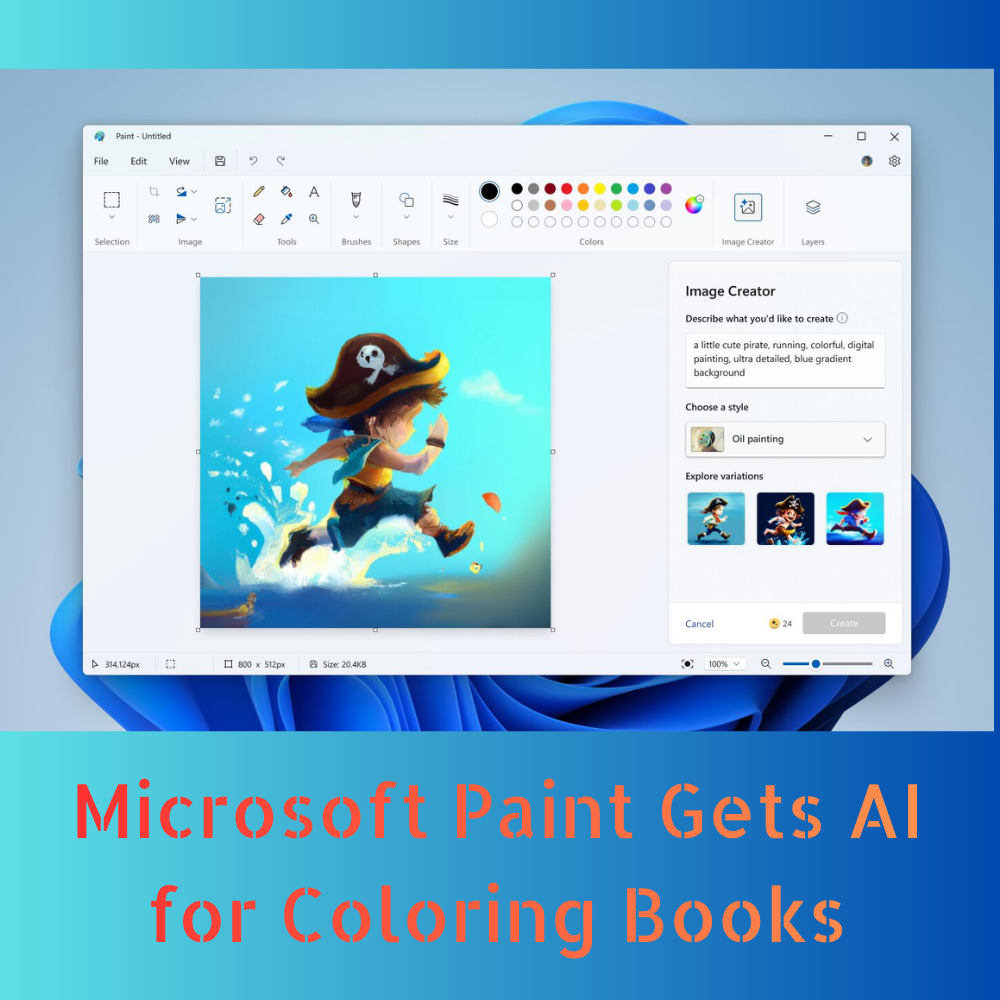
One of the most exciting announcements is the integration of AI into Microsoft Paint, allowing users to create custom coloring books automatically. This new feature leverages AI to convert images, drawings, and even sketches into outline-based coloring pages suitable for printing or digital coloring.
How It Works
Users can upload an image or create a sketch in Paint.
AI algorithms automatically detect the contours, shapes, and key details.
The system generates a simplified line art version of the original image.
Optional prompts allow users to customize complexity, style, and theme.
This tool not only makes it easy for parents, teachers, and children to create personalized coloring books, but it also opens up opportunities for artists, designers, and hobbyists to experiment with creative AI workflows.
Use Cases
Home and Education: Parents can turn family photos or simple drawings into printable coloring pages for kids. Teachers can generate learning resources quickly.
Creative Projects: Artists can convert sketches into reusable templates for coloring or design experiments.
Therapeutic Activities: Coloring has long been associated with stress relief and mindfulness. AI-generated coloring books make this practice more accessible and customizable.
The AI tool in Paint is powered by Microsoft’s proprietary AI models, which are designed to recognize a wide range of images and accurately translate them into simplified line art without losing the essence of the original picture.
Enhancements for Notepad Users
Alongside Paint, Microsoft has also updated Notepad, one of its oldest and most widely used tools, with several AI-enhanced features and productivity upgrades.
Key Improvements of AI-assisted Text Editing:
Notepad can now suggest text improvements, formatting corrections, and even rewrite sections based on user prompts.
This is particularly useful for drafting, brainstorming, or preparing content quickly.
Enhanced Search and Replace:
Advanced algorithms allow pattern recognition and batch editing across large files.
Users can search for text using semantic queries, improving efficiency for coding, note-taking, and documentation.
Code and Script Assistance:
For developers, Notepad can highlight syntax and suggest corrections for common programming languages.
Simple code snippets can be generated or refactored with AI help.
Better File Handling:
Large text files open faster, and autosave features have been improved.
AI ensures that text suggestions do not overwrite or corrupt original content.
These enhancements make Notepad a more powerful tool for students, writers, and developers while keeping the simplicity and lightweight interface that users love.
Why Microsoft Is Focusing on AI Integration
Microsoft’s move to integrate AI across its traditional apps like Paint and Notepad reflects a broader strategy: empowering users through intelligent assistance.
Democratizing Creativity: AI in Paint allows even non-artists to create professional-looking content, turning everyday creativity into something more accessible.
Boosting Productivity: Notepad’s AI tools help users complete repetitive or complex tasks quickly, reducing errors and saving time.
Staying Competitive: With companies like Adobe, Canva, and Google investing heavily in AI-powered design tools, Microsoft aims to maintain its relevance by adding AI-driven capabilities to legacy apps.

Practical Examples of Use Microsoft Paint AI Coloring Books
Imagine a teacher preparing lessons for a classroom. Traditionally, creating custom coloring sheets from pictures or illustrations would be time-consuming. With Paint’s AI feature:
Upload an image of an animal, landmark, or historical figure.
The AI converts it into a black-and-white outline ready for students to colour.
The teacher can adjust line thickness or add details for difficulty levels.
Similarly, parents can turn their children’s sketches into personalized storybooks, fostering creativity while providing a sense of achievement for young artists.
Notepad AI for Writers and Developers
A writer working on a manuscript or essay can now rely on Notepad’s AI tools to:
Suggest better phrasing
Check for grammar inconsistencies
Summarize sections for quick edits
Developers can:
Write small code snippets faster
Identify syntax errors in real-time
Use AI-powered search to find patterns in large log files
This combination of simplicity and intelligence makes Notepad more than just a basic text editor—it’s becoming a versatile AI assistant for daily productivity.
AI Safety and Ethical Considerations
Microsoft has emphasized that AI tools in Paint and Notepad are designed with safety and ethical guidelines in mind:
AI-generated content is processed locally or on secure cloud servers.
Users maintain full control over final output; AI only assists.
The AI model avoids producing biased or inappropriate content, focusing on user creativity and efficiency.
This approach addresses common concerns about AI overreach while still allowing users to benefit from intelligent suggestions and automation.
User Feedback and Early Reception
Early testers and Microsoft insiders have praised the AI-powered Paint and Notepad features for their:
Ease of use: No steep learning curve; users can start creating or editing immediately.
Accuracy: Line art generation in Paint is highly faithful to original images.
Time-saving capabilities: Notepad’s AI helps reduce manual editing and correction work.
Social media and tech forums are already abuzz with examples of AI-generated coloring pages and enhanced productivity workflows, signaling strong user interest ahead of a wider rollout.
Future Outlook
Microsoft plans to expand AI features across more Office and Windows apps in the near future. Potential enhancements could include:
AI templates for Word and PowerPoint
Intelligent summarization and translation tools
Voice-assisted AI editing in text and design apps
By embedding AI in both creative and productivity tools, Microsoft is creating a unified ecosystem that caters to diverse user needs, from casual art enthusiasts to professional developers.
The introduction of AI-powered features in Microsoft Paint and Notepad represents a significant step in the evolution of Microsoft’s software suite. Paint’s new ability to generate coloring books from any image makes creativity accessible to everyone, while Notepad’s enhanced tools ensure that writing, coding, and editing tasks are faster, smarter, and more efficient.
These updates highlight Microsoft’s commitment to blending simplicity with intelligence, ensuring that both legacy and modern users can benefit from AI technology without losing the familiarity of their favorite apps.
As AI becomes more embedded in everyday tools, Microsoft is positioning itself as a leader in accessible AI creativity and productivity, helping users work smarter, create more, and explore new possibilities with minimal effort.
If you want, I can also create an SEO-friendly meta description and featured image for this article, just like I did for the iQOO 15R article, to make it ready for publishing online.
Kinjal is a professional content creator with a passion for turning thoughts and ideas into engaging, impactful words. She enjoys exploring a wide range of topics and brings creativity, clarity, and enthusiasm to everything she writes.